 StudyPilot
Your Canvas courses, turned into a study coach.
StudyPilot plans your week, turns your lectures into practice quizzes, and tells you exactly what to study before each exam. It works with the AI you already use.
Add to Chrome, it's free No account, no API key, no subscription.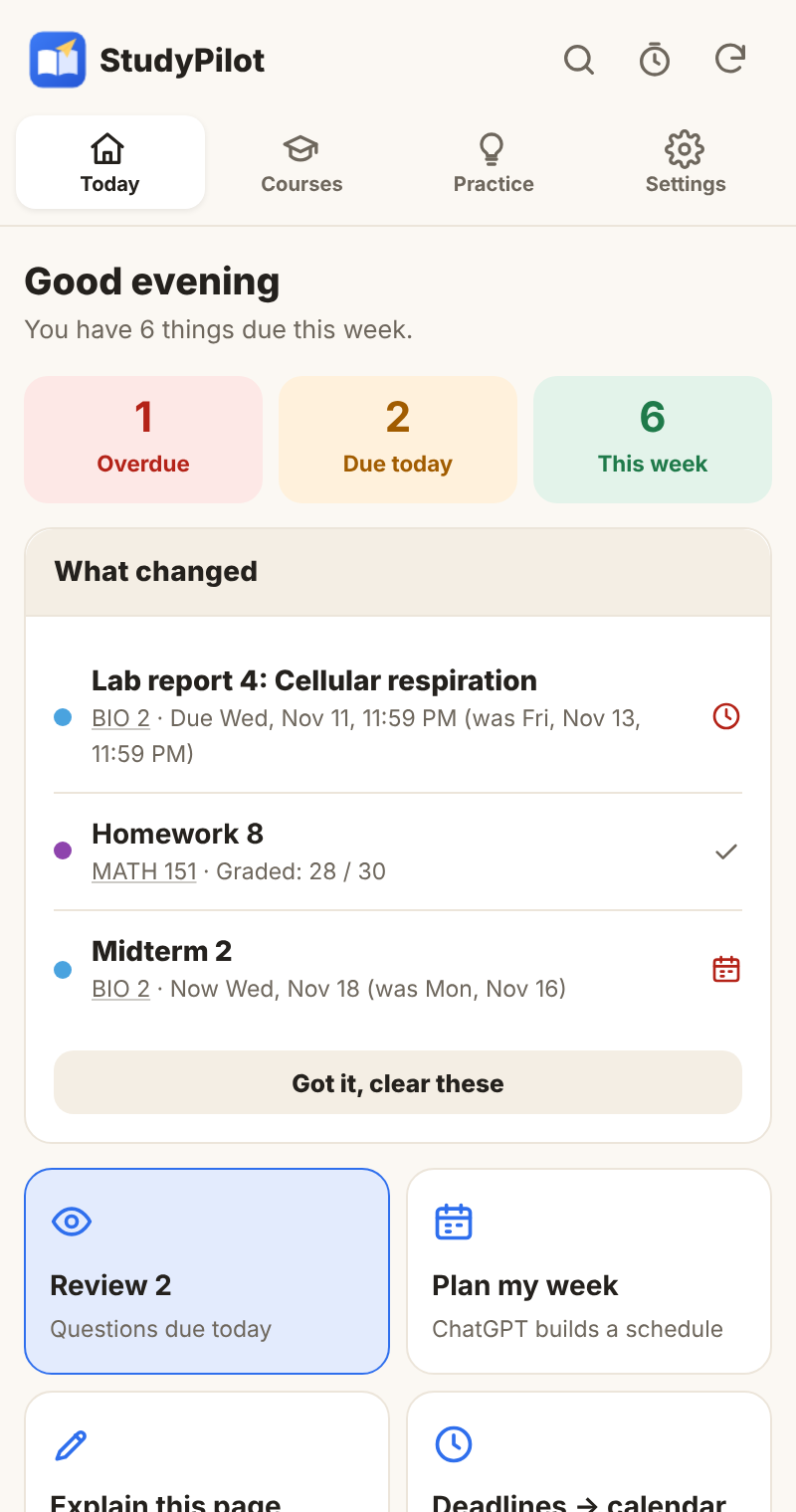
Everything a semester needs, in one panel
StudyPilot sits next to Canvas and reads your own courses with your normal Canvas login.
Your week at a glance
Every deadline across your courses, what changed since you last looked, and exam dates found in your syllabus and announcements.
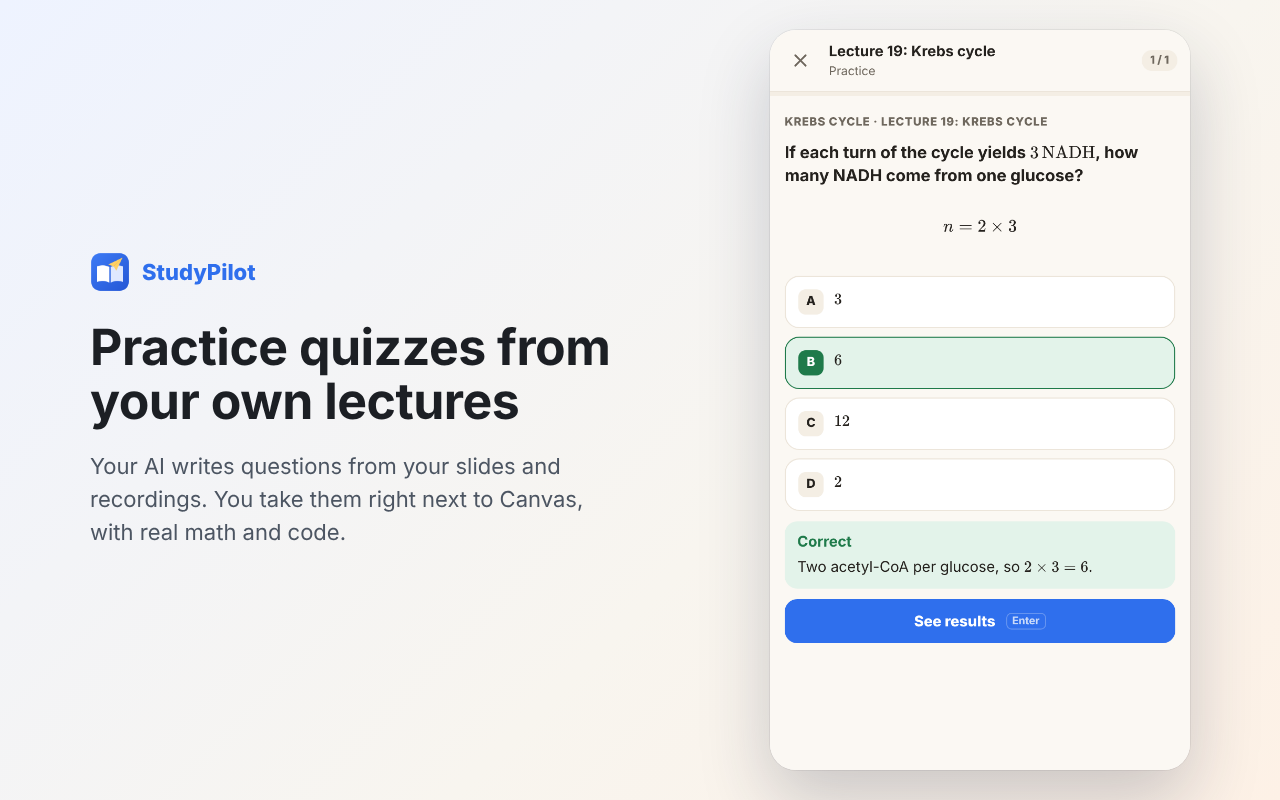
Practice from your lectures
Your AI writes questions from your slides and recordings. You take them right next to Canvas, with real math and code.
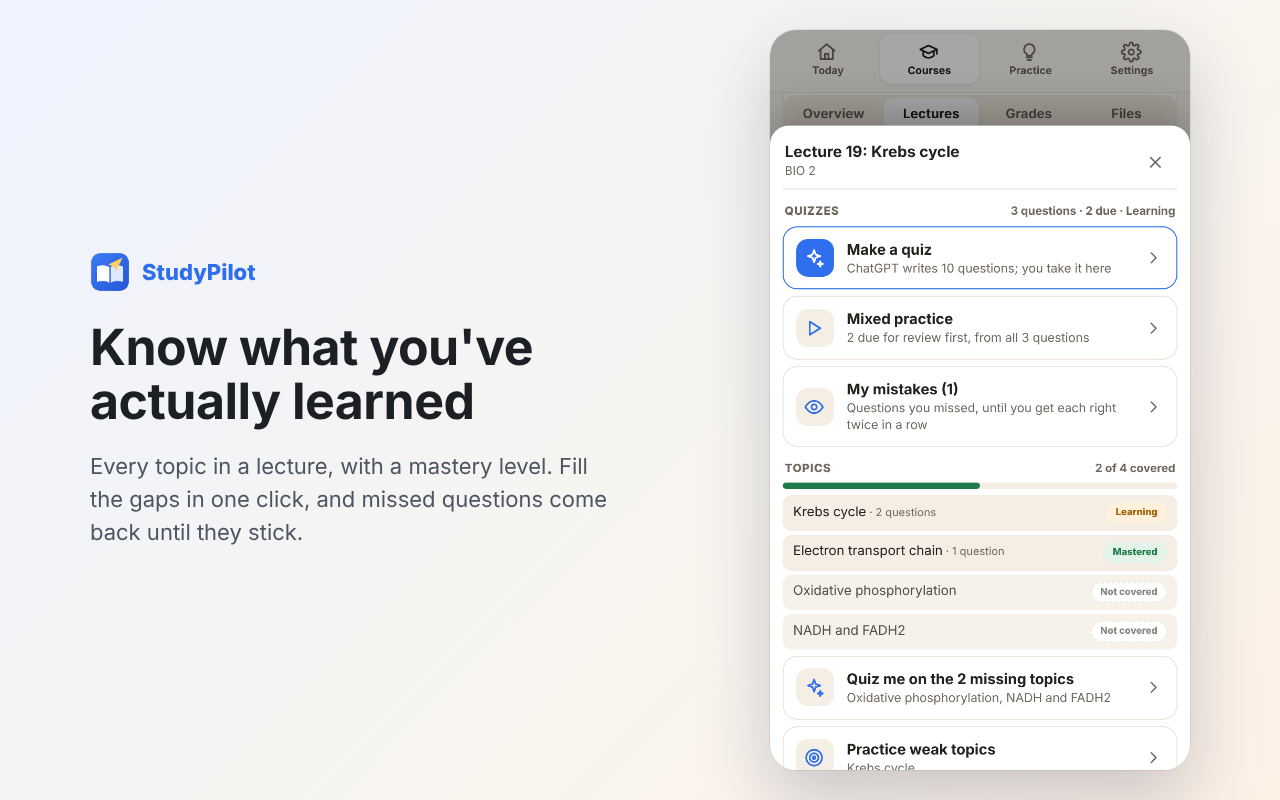
Know what you've learned
Topic coverage and mastery levels for every lecture. Missed questions come back until they stick.
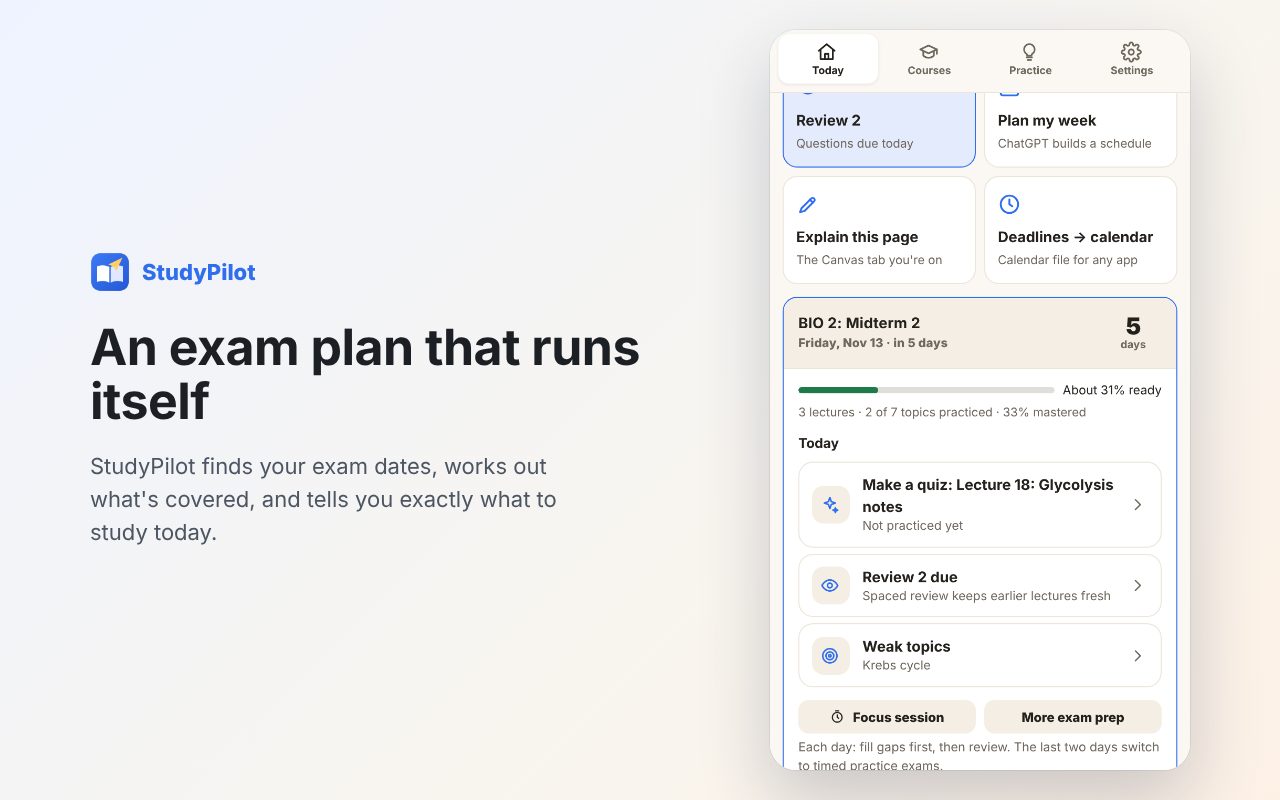
Exam countdown
What the exam covers, how ready you are, and what to do today, ramping up to timed practice exams.
Focus timer
Start with just 5 minutes, or 25+5 and 50+10 rounds. It keeps running with the panel closed and tracks your week.
Search everything
Slides by page, recordings by the minute, assignments, announcements and syllabi, searched on your own computer.
Learn from graded work
Your AI reads your graded Gradescope copies and quizzes you on exactly where you lost points.
Grades that make sense
A grade calculator with weights read straight from your syllabus.
Files, tidied
Course files, your submissions and full backups as neat zips, organized the way your course is.
Private and honest by design
Why StudyPilot asks for Google access
Signing in with Google is optional. StudyPilot works without it. If you sign in, it asks only for what these two features need:
drive.appdata): StudyPilot saves one sync file in a private Drive folder that only StudyPilot can open. It can't see your other Drive files.calendar.events), only if you turn Calendar on: StudyPilot adds, updates and removes its own events (deadlines, class times and planned study time). It doesn't read or change your other events.Google data is never sold, used for ads, used to train AI or shared. You can disconnect at any time in StudyPilot's Settings or at myaccount.google.com/permissions. Details are in the privacy policy.